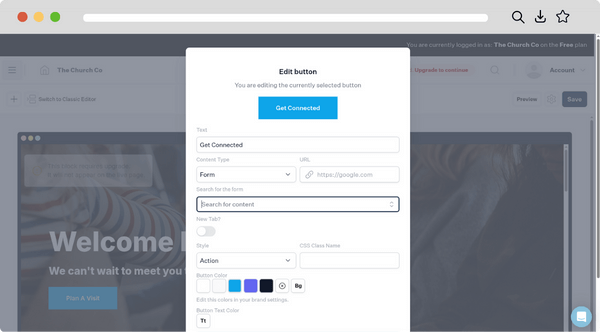
Don’t wait for your church website to show up on the prayer chain before tackling overdue website maintenance. Broken links not only hurt your search rankings, making your site harder to find—they can also be a major barrier for those wanting to get connected with your church. Let’s explore some simple steps to quickly identify and repair any broken links on your church website.
What are broken links and why do they matter?
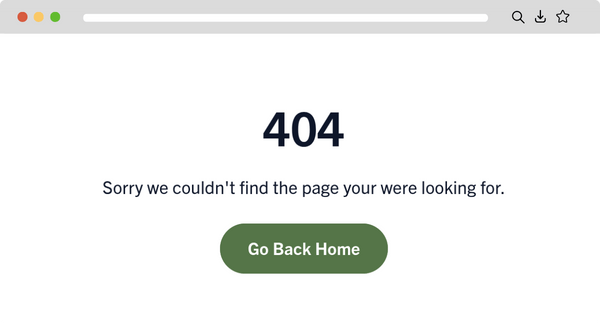
Broken links—also known as dead links—are simply links that no longer lead to their intended destination and often result in a 404 error or “page not found” message when clicked because the page has been deleted, moved, or is unavailable. Now imagine if a new person visiting your church website clicked on “Plan a Visit” but instead ended up with the message “page not found.” There’s a good chance they may never visit at all. On top of that, if your website has a number of broken links, it can negatively affect your SEO, making it harder for new people to find your church website in the first place.
How do broken links affect SEO and user experience?
Broken links negatively impact SEO by creating crawl errors for search engines, wasting crawl budget, and preventing the proper flow of link equity across your site, which can lower search rankings. Broken links can also create a confusing or frustrating user experience, which may lead people to give up on your website, increasing the bounce rate and lowering the number of return visits.
What causes broken links?
Broken links are typically caused by actions such as deleting or moving pages without implementing redirects, entering incorrect URLs, or linking to domains that have expired or been taken down. They can also result from temporary server errors or from failing to update links after making changes to a website’s organization or navigation.

How can I find and fix broken links on my website?
An easy way to locate broken links on your church website is to use a free online tool like brokenlinkcheck.com. These tools will scan your entire site and generate a report listing any broken links they find. Once you have this list, you can go through your website and manually update or correct each broken URL as needed.
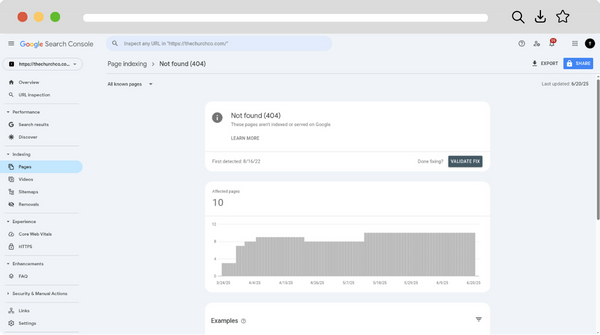
Many people use Google Search Console to monitor their website for broken links. The tool can notify you when Google detects issues like 404 errors, allowing you to quickly find and fix broken links as they arise.
How can I prevent broken links in the future?
Just as it’s important to regularly maintain your car, the same is true for your church website. Broken links are inevitable, so schedule time in your calendar to regularly check for them. If you’re setting up new links or buttons, be sure to double-check they work before publishing them.